If you are just starting with digital marketing, understanding SEO can feel overwhelming. This beginners guide to SEO will simplify the concepts, explain essential strategies, and show you how to optimize your website for search engines effectively. SEO, or Search Engine Optimization, is the process of improving your website’s visibility on search engines like Google. A well-optimized site attracts more organic traffic, increases engagement, and ultimately helps achieve business or personal goals online.
Whether you are creating your first blog, launching an e-commerce store, or managing a business website, this guide will give you a solid foundation in SEO. By the end, you’ll understand the key components, tools, and best practices to start ranking on Google confidently.
What is SEO and Why It Matters
SEO (Search Engine Optimization) is the process of optimizing a website to rank higher in search engine results pages (SERPs). When your website ranks higher, it gets more visibility, leading to more visitors and potential customers.
Why SEO is important:
- Organic Traffic: SEO brings free, high-quality traffic from search engines.
- Brand Visibility: Appearing on top of search results builds credibility.
- Cost-Effective Marketing: Unlike paid ads, SEO traffic doesn’t require ongoing costs.
- Better User Experience: Optimized sites load faster and are easier to navigate.
- Competitive Advantage: Businesses using SEO outperform competitors online.
Primary Components of SEO
SEO is not just about keywords; it includes multiple strategies that work together. Here’s a breakdown of the primary and secondary components of SEO:
SEO ComponentDescriptionBenefitOn-Page SEOOptimization done on your website pages, including content, meta tags, headings, and imagesHelps search engines understand your pageOff-Page SEOActivities outside your website like backlinks, social signals, and mentionsIncreases domain authority and trustTechnical SEOBackend optimization including site speed, mobile-friendliness, and sitemapEnsures search engines can crawl and index your site effectivelyKeyword ResearchIdentifying the right keywords to target your audienceAttracts relevant traffic to your websiteContent CreationHigh-quality and relevant content for users and search enginesBoosts engagement and ranking potentialAnalytics & MonitoringUsing tools like Google Analytics and Search ConsoleTracks performance and identifies improvement areas
Step-by-Step Beginners Guide to SEO
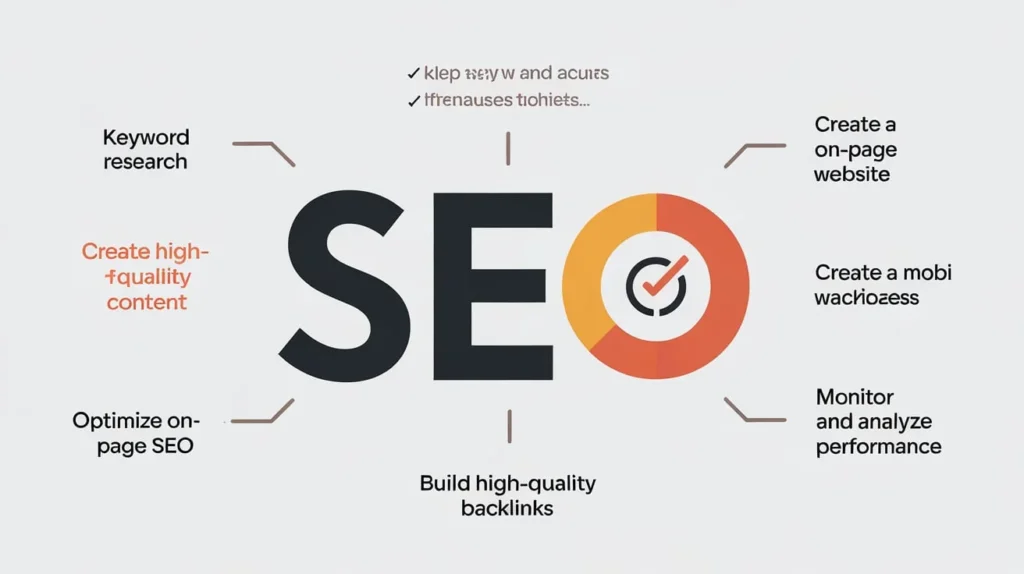
Step 1: Keyword Research
Keywords are the foundation of SEO. Use tools like Google Keyword Planner, Ahrefs, or SEMrush to find:
- Primary Keywords: Main topics your audience searches for.
- Secondary Keywords: Related terms that support primary keywords.
Pro Tip: Focus on long-tail keywords for beginners, as they are less competitive and easier to rank.
Step 2: On-Page SEO Optimization
On-page SEO ensures search engines understand your content. Key elements include:
- Title Tags: Include your primary keyword in the page title.
- Meta Description: A concise summary including your keyword.
- Headings (H1, H2, H3): Structure your content for readability.
- Internal Linking: Link to related pages on your site.
- Alt Text for Images: Helps search engines understand images.
- URL Structure: Keep URLs short, descriptive, and keyword-rich.
Step 3: Content Creation
High-quality content is critical for SEO. Tips for beginners:
- Write content that solves a user’s problem.
- Use natural language and avoid keyword stuffing.
- Include visuals like images, infographics, or videos.
- Maintain readability: short paragraphs, bullet points, and clear headings.
Content Table Example:
Content TypePurposeTipsBlog PostEducate or inform usersFocus on long-tail keywords, add visualsProduct PageConvert visitors into customersUse clear descriptions, reviews, and call-to-actionInfographicVisual content to explain conceptsShareable on social media and backlinksVideo ContentEngage users with tutorials or reviewsOptimize title and description for keywords
Step 4: Off-Page SEO
Off-page SEO focuses on building authority and credibility:
- Backlinks: Links from reputable websites improve your domain authority.
- Social Media Sharing: Increases visibility and drives traffic.
- Guest Posting: Contribute articles to related blogs to earn backlinks.
- Online Reviews & Mentions: Positive reviews improve trust signals.
Pro Tip: Focus on quality over quantity when building backlinks.
Step 5: Technical SEO
Technical SEO ensures search engines can crawl and index your site:
- Mobile-Friendliness: Ensure your site looks good on all devices.
- Site Speed: Optimize images and use caching to load pages faster.
- Secure Site (HTTPS): Protect user data with SSL certificate.
- Sitemap & Robots.txt: Guide search engines on which pages to crawl.
- Structured Data (Schema Markup): Helps search engines understand your content better.
Step 6: Monitoring and Analytics
Tracking your SEO performance is essential:
- Google Analytics: Monitor traffic, bounce rate, and user behavior.
- Google Search Console: Check for indexing issues, search queries, and errors.
- SEO Tools: Ahrefs, SEMrush, and Moz help track keyword rankings, backlinks, and competitors.
Pro Tip: Regularly audit your site to identify weak areas and update content.
Common SEO Mistakes Beginners Should Avoid
MistakeExplanationSolutionKeyword StuffingOverusing keywords unnaturallyFocus on user-friendly contentIgnoring Mobile SEOMany users browse on mobileUse responsive design and test mobile usabilityPoor Content QualityLow-value content doesn’t engage usersCreate informative, high-quality contentBroken LinksDead links hurt SEO and user experienceRegularly check and fix broken linksIgnoring AnalyticsNot tracking performanceUse Google Analytics to make data-driven decisions
Tips to Succeed in SEO as a Beginner
- Start Small: Focus on a few high-value keywords initially.
- Consistency: Publish quality content regularly.
- Learn SEO Tools: Familiarize yourself with Google Analytics, Search Console, and keyword tools.
- Optimize for Users: Google prioritizes user experience. Content should be easy to read and engaging.
- Stay Updated: SEO trends and algorithms change frequently; keep learning.
FAQs About SEO for Beginners
1. How long does it take to see results from SEO? SEO results typically appear within 3-6 months, depending on competition, content quality, and consistency.
2. Do I need to hire an SEO expert as a beginner? Not necessarily. Beginners can start with free tools and learning resources; professional help is optional as traffic grows.
3. Is content or backlinks more important for SEO? Both are important. High-quality content attracts users, while backlinks improve authority and rankings.
4. Can I do SEO for free? Yes, free tools like Google Analytics, Search Console, and keyword planners allow beginners to optimize websites effectively.
5. How often should I update my SEO strategy? Regularly audit your website every 2-3 months and update content, keywords, and strategies based on performance and trends.
Conclusion
This beginners guide to SEO provides a clear roadmap for anyone starting in digital marketing. By understanding keyword research, on-page optimization, content creation, off-page SEO, technical SEO, and analytics, you can effectively improve your website’s visibility on search engines.
Remember, SEO is a long-term strategy. Consistency, quality content, and monitoring performance are key to success. By applying the tips and strategies in this guide, even beginners can start ranking on Google, attracting organic traffic, and growing their online presence confidently.